Just talk  through the job.Your forms get filled in

StellarCapture makes it easier to document what you see on site without missing a thing. Use your existing paper forms and let your crew talk through their observations and completed work. StellarCapture automatically turns their notes into completed forms, saving time and reducing paperwork.

Download StellarCapture on the App Store

Already using StellarCapture? Log in

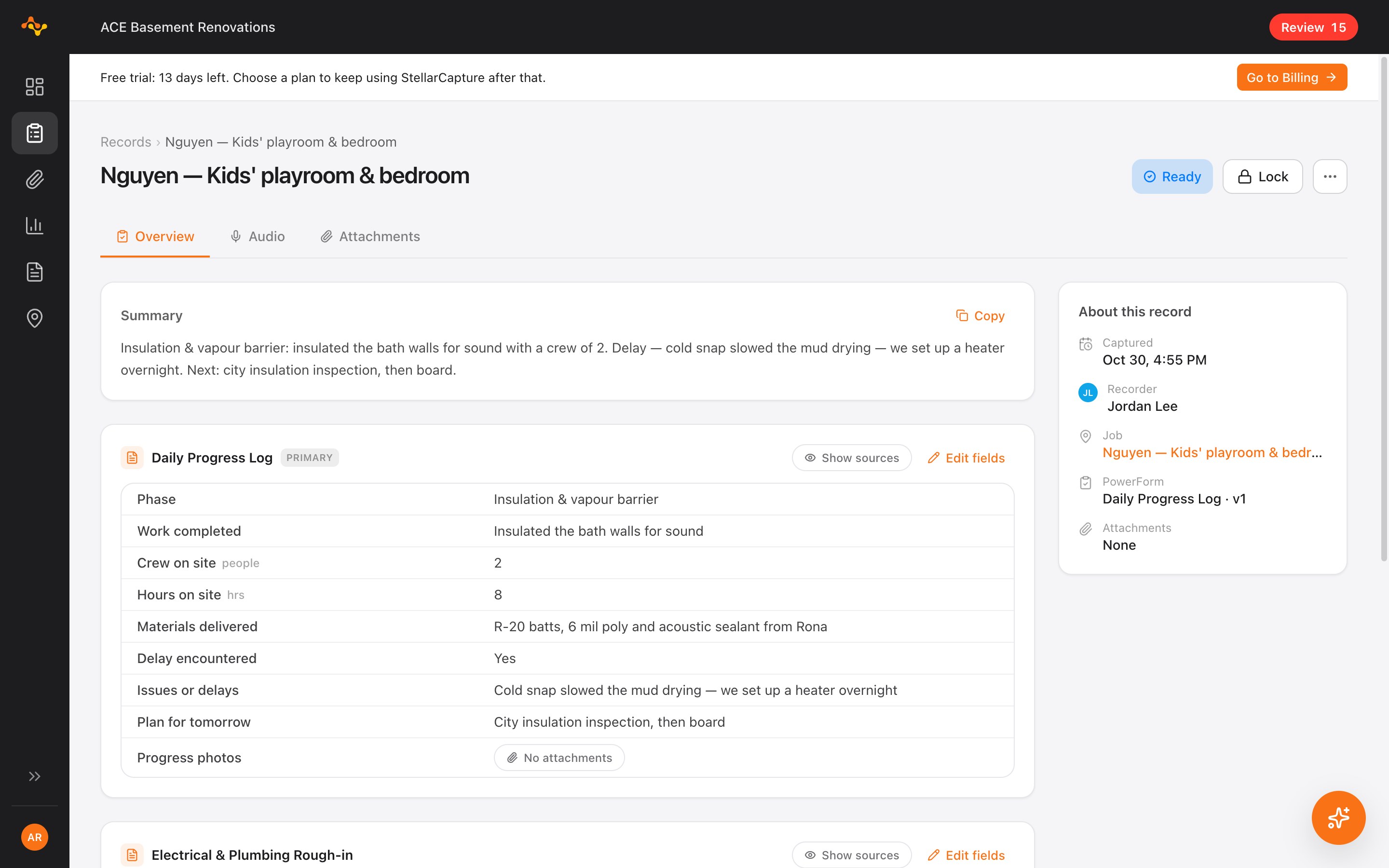
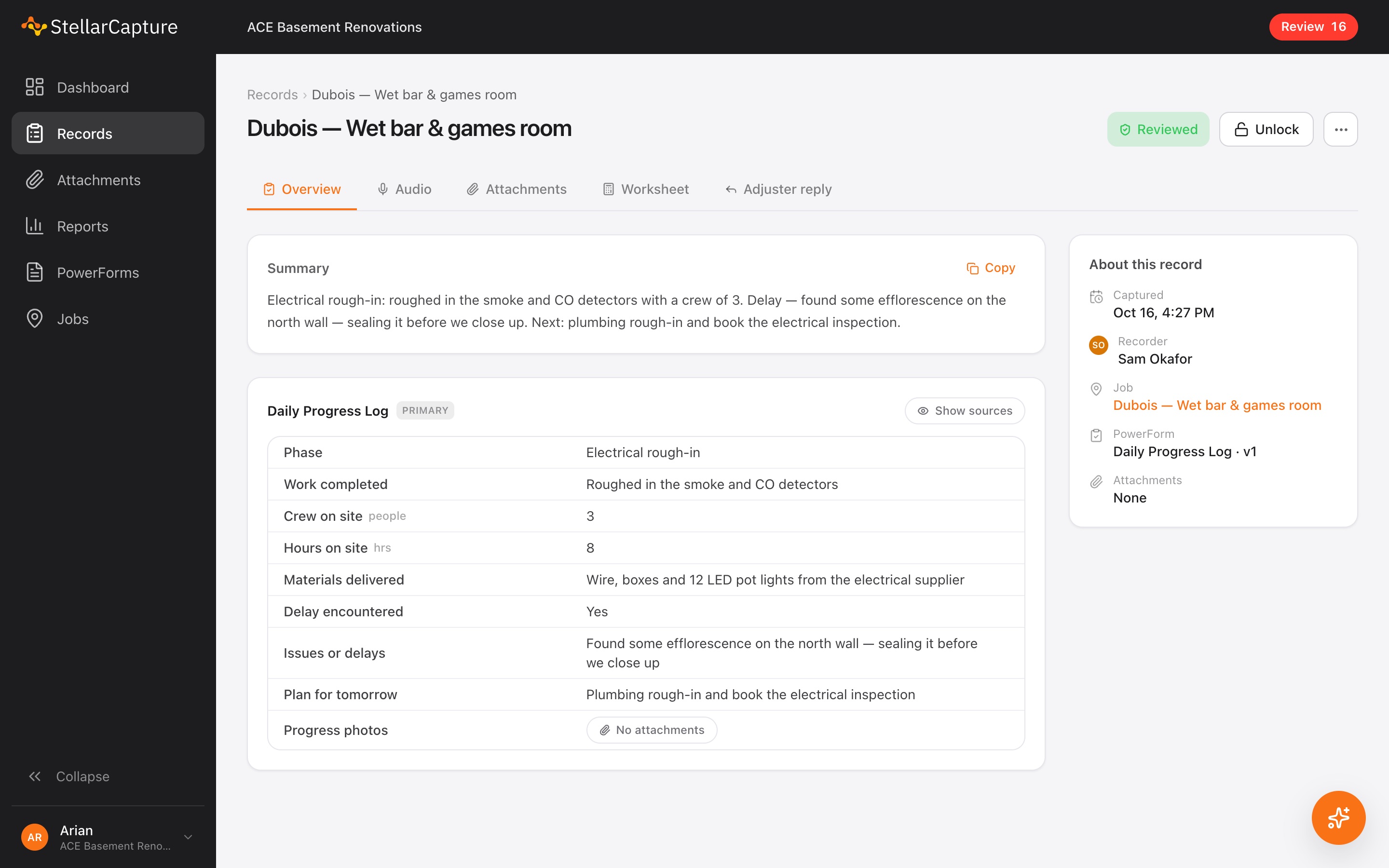
A Daily Progress Log in StellarCapture, filled in from a crew lead's voice note: phase, work completed, crew on site, hours, materials delivered and delays.

How it works

One walk-through becomes a finished report

  1. 1

    Talk through it on site

    Open the job on your phone and say what you see while you work. If the form needs something you haven't covered yet, the app reminds you before you finish.

  2. 2

    The form fills itself in

    StellarCapture writes out what you said, puts each answer in the right field of your form, and files the finished form under the right job.

    Filed under 42 Birchwood Cres. · Pre-purchase inspection

    Your logo

    Roof and Attic Inspection

    Form RA-2

    Page 1 of 1
    Property address

    42 Birchwood Cres., Calgary

    Date of inspection

    November 9, 2026

    Inspector

    Sam Reyes

    Weather

    Clear, −2 °C

    Roof type
    Asphalt shingle(ticked)MetalTileFlat / membrane
    Access
    Walked(ticked)Ladder at eavesDroneGround only
    Approx. age
    12–15 years
    ConditionGoodFairPoorN/A
    Shingles
    Flashing
    Gutters and downspouts
    Vents and penetrations
    Chimney
    Deficiencies noted

    Lifted flashing at the south dormer. Two cracked shingles beside the ridge vent. Moss on the north slope.

    Recommended action

    Reseal the dormer flashing and replace the two cracked shingles. Monitor the moss.

    Photos
    4 attached, each with its time and location
    Inspector signature

    Sam Reyes

  3. 3

    Look back, add, fix

    Every capture stays on the job: which forms were filled out, by whom and when. Add another form to a capture, change an answer, or fix something that was heard wrong. Every change is logged.

    42 Birchwood Cres.

    3 captures today

    • Roof

      9:42 AM · Sam

      Roof and Attic Inspection

      Dana in the office fixed “fridge vent” to “ridge vent”

    • Exterior walk-around

      10:05 AM · Sam

      Exterior and GradingDeficiency List
    • Basement

      10:31 AM · Sam

      Basement and FoundationAdd form

What you get

All your forms, photos and notes in one place

No more photos in five people's camera rolls and notes in a group chat.

A page for every job
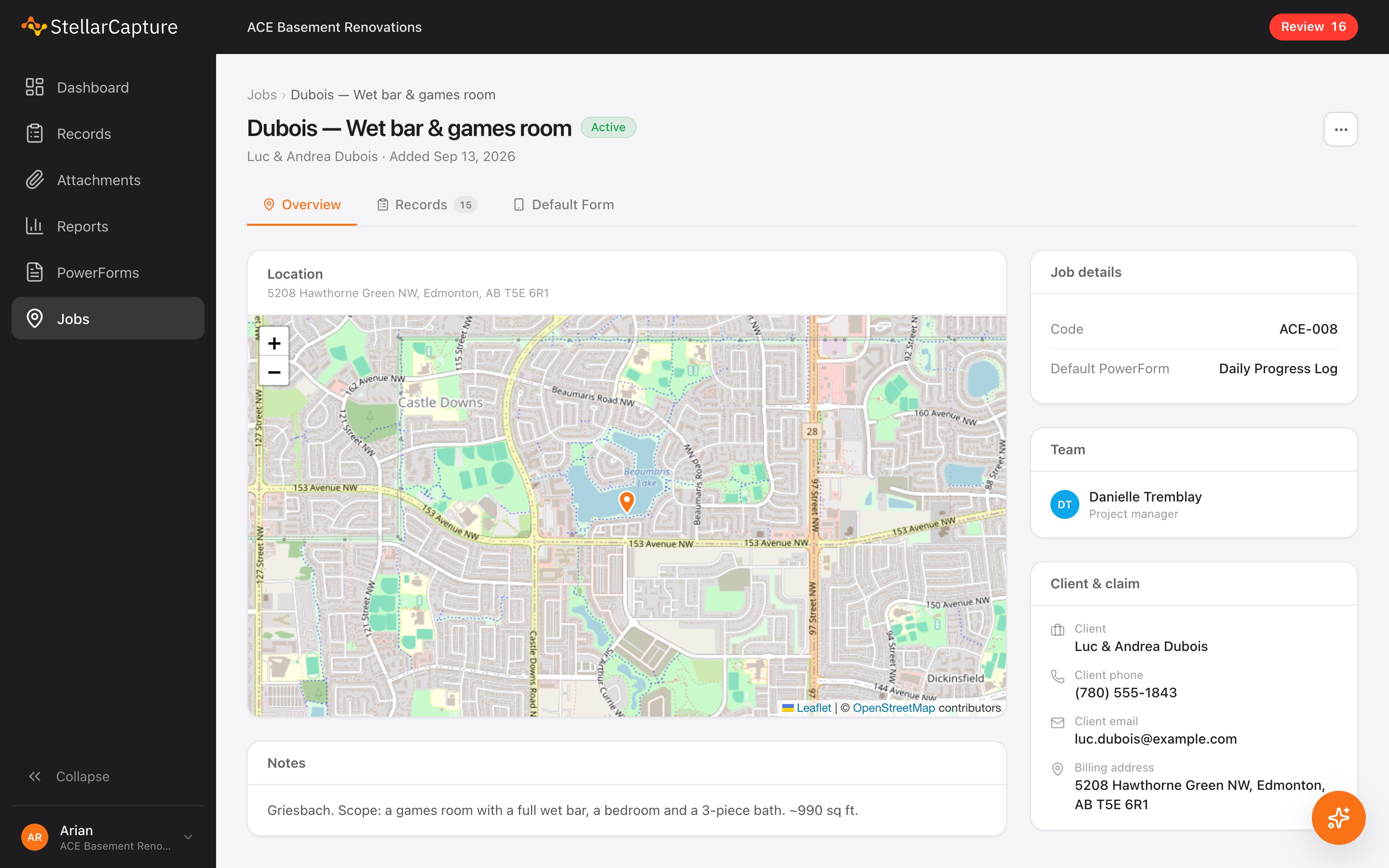
Address on a map, the client and any insurance claim, the project manager, and every record and photo from that job.
Your own forms
Build the forms you already use, like site assessments, daily logs and inspection checklists. Change them any time; old records keep the version they were made with.
Photos in the right place
Photos are attached to the record and the form field they belong to, with the date and location.
Works without signal
Basements and crawlspaces are fine. Everything uploads once the phone is back online.
Review and lock
The office sees what's waiting, fixes mistakes, and locks the record so it can't change without a trace.
PDFs for clients and adjusters
Send a clean PDF of any record or job to a homeowner, adjuster or inspector.
A job page in StellarCapture showing the job's location on a map, its details, the project manager, and the client's contact information.

Let StellarCapture do the typing

  1. Forms filled in from voice notes

    Your crew talks, StellarCapture types.

    A Daily Progress Log in StellarCapture, filled in from a crew lead's voice note.
  2. Transcripts and summaries

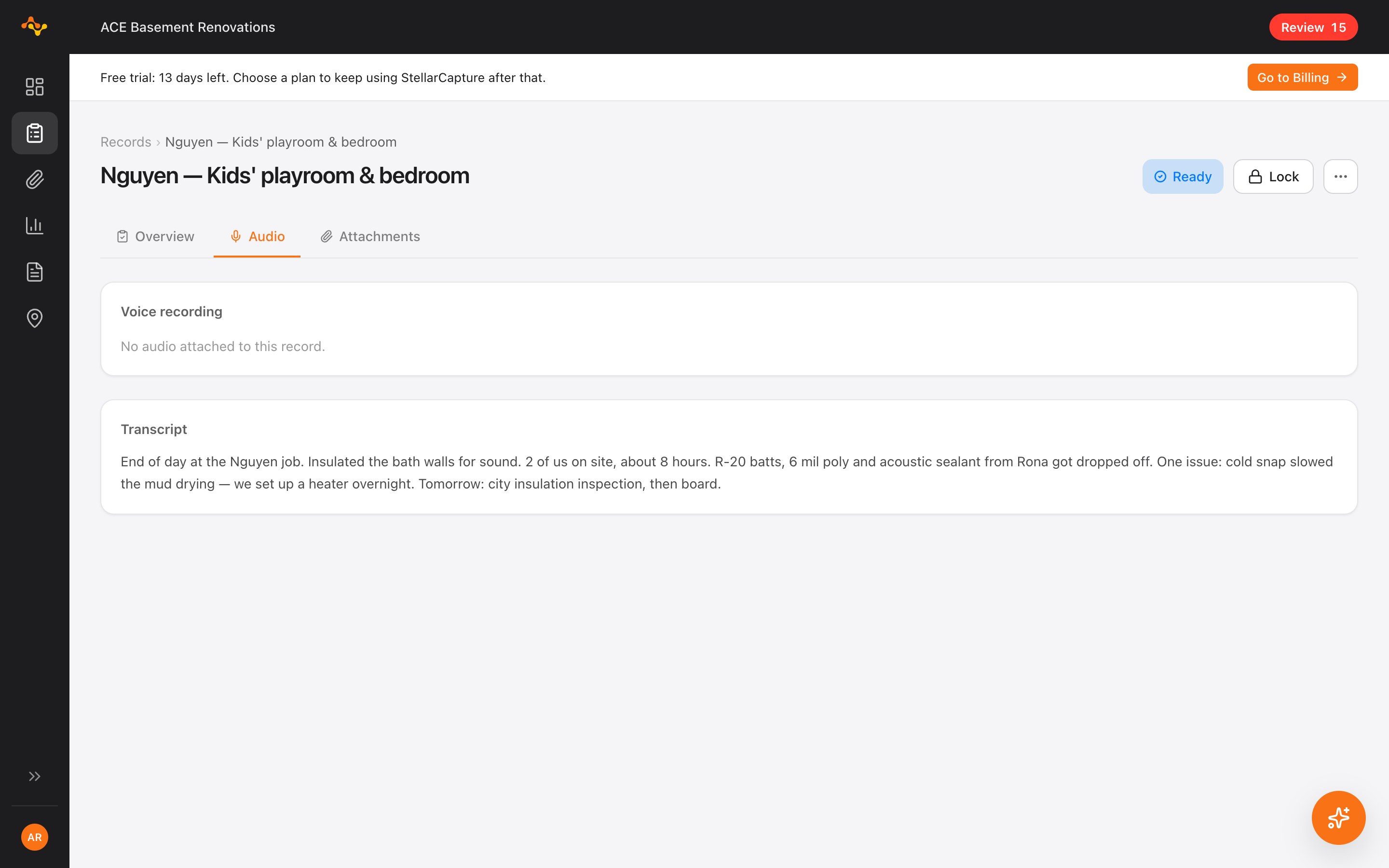
    Get a summary of every record so you don't have to listen to the voice memo.

    A record in StellarCapture with the written transcript of the voice note and a short summary.
  3. Intelligent reports

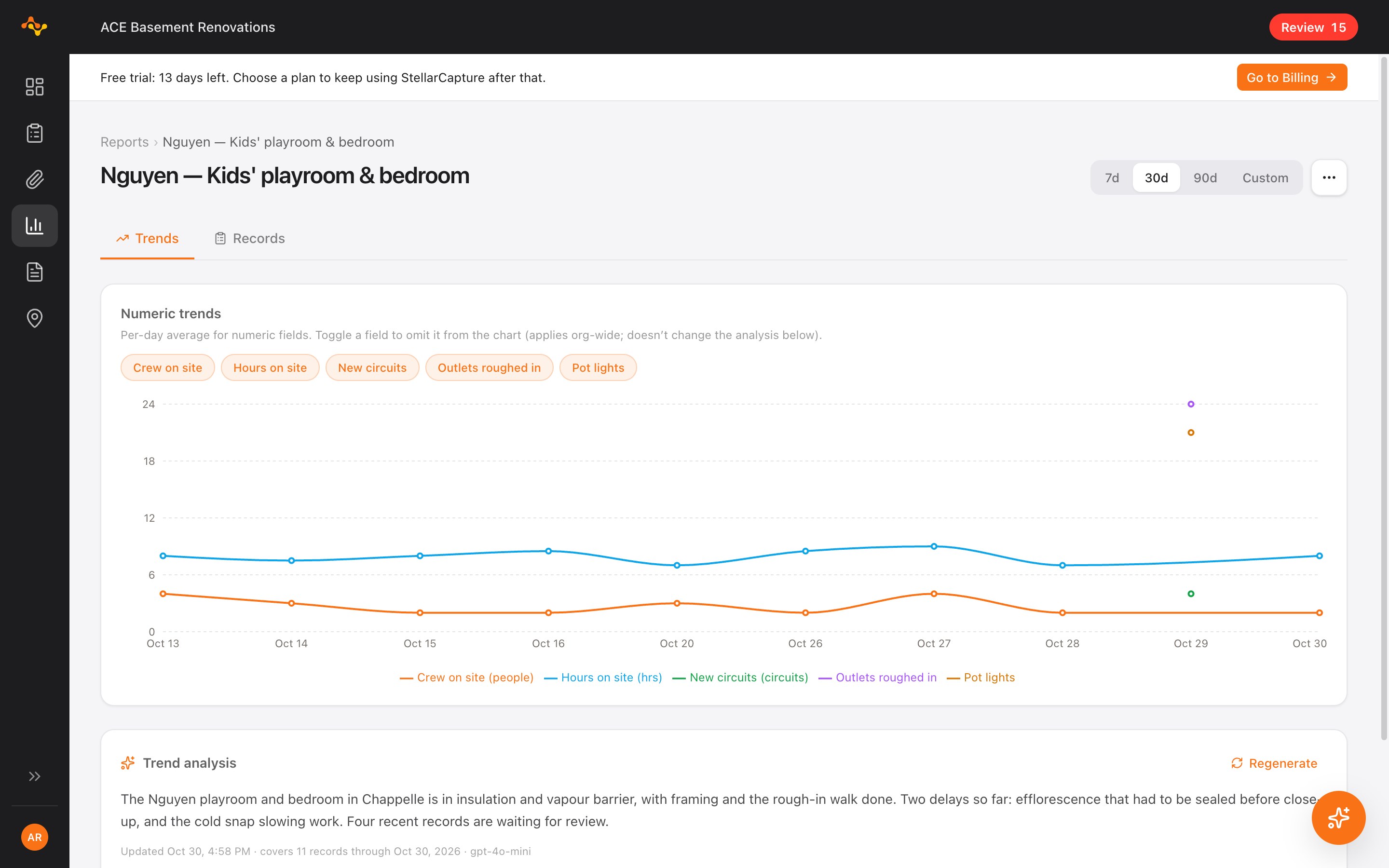
    StellarCapture creates graphs and visual reports from all your records.

    A report in StellarCapture: a chart of crew size and hours on site over time, with a written analysis.
  4. Ask about your jobs

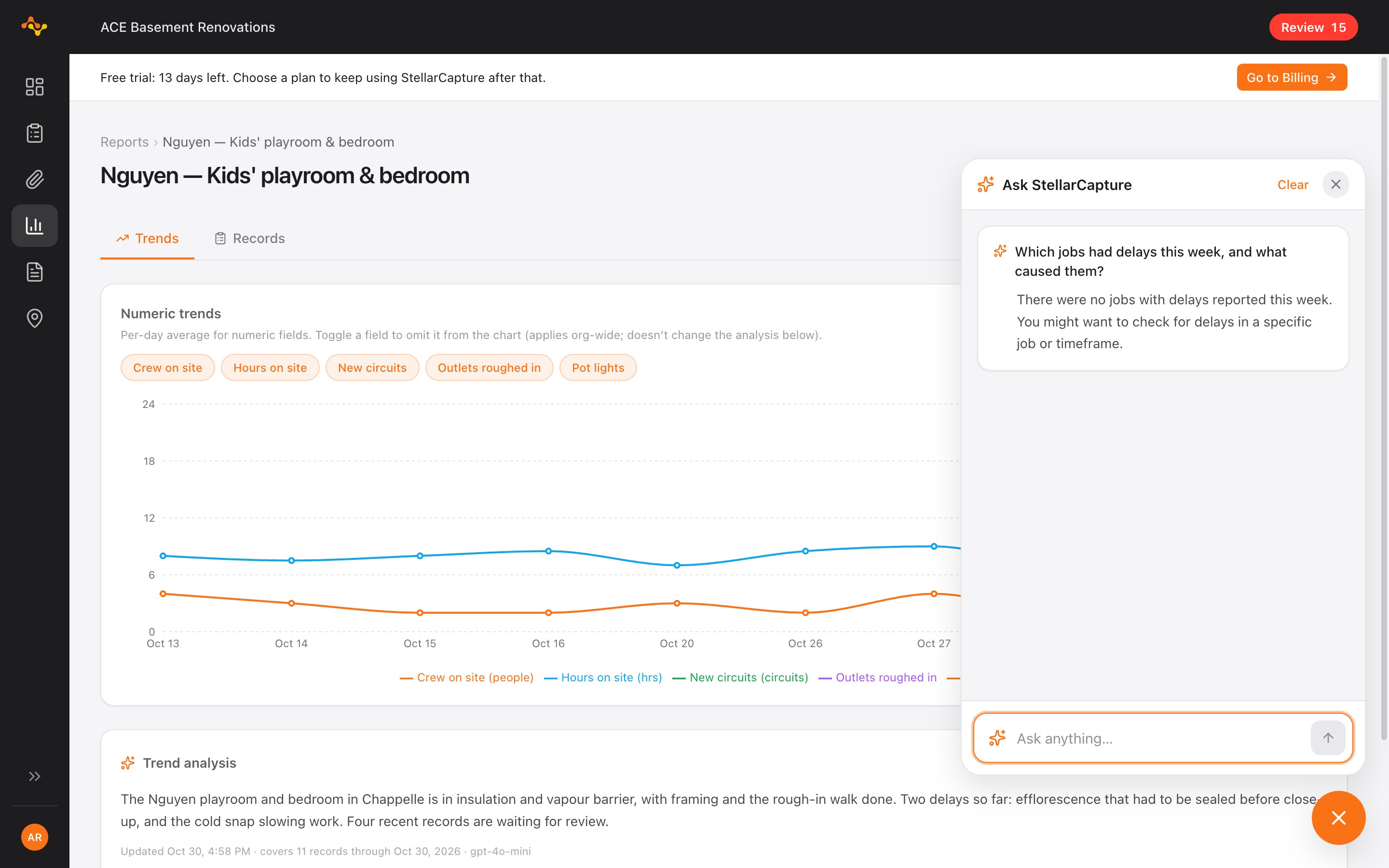
    Can't remember the specifics about a record? Just ask! StellarCapture answers your questions based on the voice recording and photos.

    The Ask panel in StellarCapture answering a question about a job from its own records.

Document every job with ease.

Start your 14-day free trial. No card needed.

Standard

All the features you need to automate your walkthroughs.

$34CAD per user / month

Billed monthly. Cancel any time.

Book a demo
  • iPhone app for photos and voice notes
  • Voice notes filled into your forms, with transcripts and summaries
  • Works with no signal
  • Your own forms (PowerForms)
  • Jobs with map, client and claim details
  • Office review and lock
  • PDF reports for clients and adjusters
  • Team roles and activity log
  • Email support

Pro

Recommended

Everything in Standard, plus Ask StellarCapture AI.

$44CAD per user / month

Billed monthly. Cancel any time.

Book a demo

Everything in Standard, plus:

  • Intelligent reports
  • Ask about your jobs and records
  • Adjuster reply drafts
  • Priority support

More than 25 people, or need single sign-on? Ask us about Enterprise.

Questions? Answers.

See one of your own forms get automated

Book a 20-minute demo. We'll set up one of the forms your crew already uses and show you how you never have to type again or take notes manually.